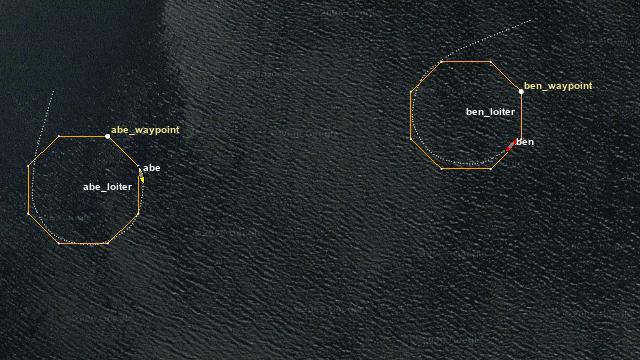
Reconstructing a run
The tool reads the original log and rebuilds the navigation scene using the recorded map, vehicles, trails, and visual geometry. It renders offscreen rather than capturing a viewer window. A screen recording needs that window to stay visible and undisturbed; an alog2media export can run in the background while you work elsewhere. A coding agent can launch the same export without rearranging your windows or taking control of the desktop. The output contains only the mission, without viewer controls or a recording cursor.
A still image can show a particular moment; a video can follow a vehicle through the mission. That makes it easier to review a test, explain a behavior, or share a result with someone who doesn’t have the MOOS-IvP setup on their computer.
Keeping the export faithful
I implemented replay rules for vehicle trails and mission geometry that can appear, change, or expire during a run. Seeking backward reconstructs the earlier scene without leaving objects from a later moment on screen. Those lifetimes determine which objects belong in an export at the requested time.
I checked representative exports against MOOS-IvP’s own viewer rendering, using decoded frames and scene tests rather than judging only by appearance. That exposed differences that a convincing-looking video could hide. The log still sets the limit: an operator’s unrecorded camera pan can’t be recovered from it, so the tool uses recorded settings where available and explicit viewpoint controls otherwise.
Making it practical to use
The command can find the latest unambiguous run in a mission directory, but asks for an explicit log when the choice is unclear. It preserves the source log and lets the user override the output interval, viewpoint, map, labels, and trails when a different view is needed.
The packaged tool doesn’t require a MOOS-IvP source checkout at runtime. On Linux it can render without a screen or graphical desktop, passing frames directly to the video-encoding tool FFmpeg. That makes exports usable in automated test and documentation workflows as well as on a researcher’s laptop, without needing to arrange a screen recording for every run.
I packaged releases for Homebrew on macOS and APT on Debian-based Linux, letting people install the tool through their usual package manager. Conversations with core MOOS-IvP developers have also made me think that repeatable exports will matter more as teams document and present their work.